
Connect Claude Desktop and Cursor to Maho Browser via MCP
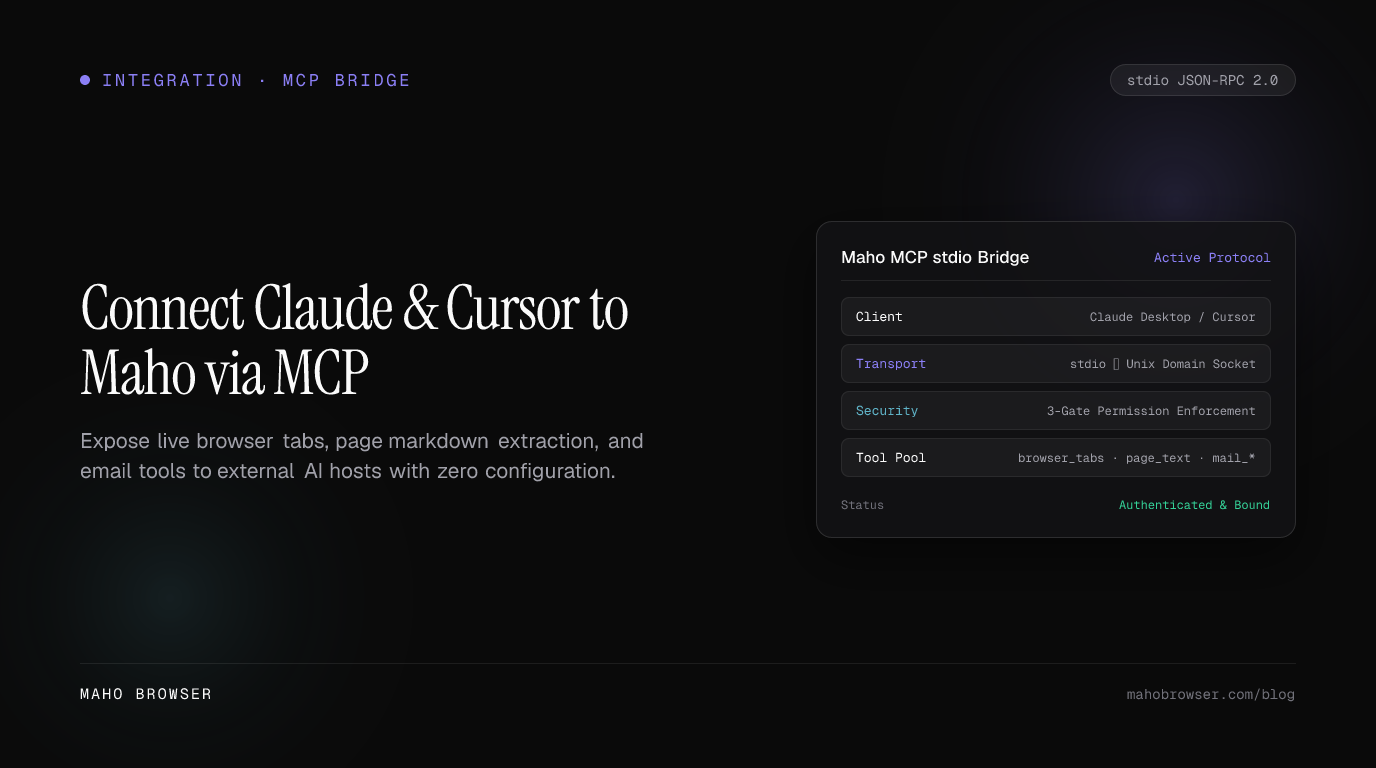
To connect Claude Desktop or Cursor to Maho Browser with MCP, configure the client to launch this command:
maho mcpThe MCP server entry is the same in both clients:
{ "mcpServers": { "maho": { "command": "maho", "args": ["mcp"] } }}Start Maho Browser, restart/reload the MCP client, and test with a read-only
request such as “list my open Maho tabs.” The client should discover tools such
as browser_tab_list, browser_navigate, browser_page_text, and
browser_history_search.
That is the setup. The rest of this guide explains where to put the config, how to verify the connection, which tools are exposed, and why Maho’s MCP security boundary stays inside the browser process.
For the canonical reference, see Maho MCP Server.
What maho mcp actually does
Section titled “What maho mcp actually does”From an MCP host’s perspective, maho mcp behaves like a normal stdio MCP
server: the host launches a process, sends MCP messages over stdin, and reads
responses from stdout.
Maho’s privileged browser implementation still lives in Maho Browser:
Claude Desktop / Cursor | | MCP over stdio v maho mcp | | local IPC v Maho Browser - tool registry - tab/page state - domain policy - redaction - leases/approvalsThis architecture matters because the configuration does not create a TCP
browser-control server. There is no localhost:PORT to expose accidentally and
no cloud endpoint that receives your tab list merely because you enabled MCP.
When the browser exits, the browser-side service is gone.
Prerequisites
Section titled “Prerequisites”Before editing either client:
- Install Maho Browser and the
mahoCLI. - Start the Maho Browser profile you want the agent to use.
- Confirm the CLI is visible from your shell.
maho --versionmaho tab list- If
mahoonly works after shell initialization, find its absolute path. GUI applications often have a smallerPATHthan your interactive terminal.
A quick shell check is:
command -v mahoIf it prints something like /usr/local/bin/maho, you can use that absolute path
in the MCP config if the desktop app cannot resolve maho by name.
Claude Desktop setup
Section titled “Claude Desktop setup”Claude Desktop uses claude_desktop_config.json for local MCP server entries.
macOS config path
Section titled “macOS config path”~/Library/Application Support/Claude/claude_desktop_config.jsonWindows config path
Section titled “Windows config path”%APPDATA%\Claude\claude_desktop_config.jsonIf the file already contains other MCP servers, add maho to the existing
mcpServers object rather than replacing the rest of the file.
{ "mcpServers": { "maho": { "command": "maho", "args": ["mcp"] } }}If Claude Desktop reports that the executable is missing, use the absolute path:
{ "mcpServers": { "maho": { "command": "/absolute/path/to/maho", "args": ["mcp"] } }}Save the file and fully restart Claude Desktop so it starts a fresh MCP child process and runs tool discovery again.
First Claude test
Section titled “First Claude test”Use a prompt that is explicitly read-only:
Use the Maho browser tools to list my open tabs. Do not navigate, close tabs, or change anything.A successful request should cause Claude to choose browser_tab_list and return
the browser’s current tab metadata.
Then test page reading:
Use Maho to read the visible text from my active browser tab and summarize it in five bullets. Do not navigate.Only after those two work should you test navigation.
Cursor setup
Section titled “Cursor setup”Cursor can launch the same stdio command. Add Maho through Cursor’s MCP settings
or place the server definition in the JSON MCP configuration for the desired
scope (for example, a project .cursor/mcp.json):
{ "mcpServers": { "maho": { "command": "maho", "args": ["mcp"] } }}If the Cursor process cannot see your shell PATH, use the absolute executable
path exactly as you would for Claude Desktop.
Reload/restart Cursor, open its MCP/tool settings, and confirm Maho appears as an enabled server with browser tools.
First Cursor test
Section titled “First Cursor test”Start with a non-mutating request:
List the tabs currently open in Maho Browser. Do not navigate or close anything.Then ask for page content:
Read the current Maho tab and return the page title plus a concise summary. Do not navigate.For coding work, a useful next prompt is:
Read the documentation page open in Maho. Extract only the API names and constraints relevant to this code change. Do not edit the browser state.This lets Cursor use your real browser context without you copying the whole page into the editor chat.
What browser tools become available?
Section titled “What browser tools become available?”Maho’s active MCP surface is grouped by capability.
browser_tab_listbrowser_tab_getbrowser_tab_newbrowser_tab_close
Navigation
Section titled “Navigation”browser_navigatebrowser_set_allowed_domains
Rendered page content
Section titled “Rendered page content”browser_page_contentbrowser_page_textbrowser_search_in_pagebrowser_page_contextpage_query_selectorpage_get_textpage_get_attributepage_wait_for_selector
History and bookmarks
Section titled “History and bookmarks”browser_history_searchbrowser_bookmarks_searchbrowser_bookmark_create
Agent/session coordination
Section titled “Agent/session coordination”browser_acquire_leasebrowser_heartbeat_leasebrowser_release_lease
The detailed schemas are documented in the Agent Protocol tools reference.
A concrete browsing flow from an MCP client
Section titled “A concrete browsing flow from an MCP client”Imagine you ask Claude or Cursor:
Find the Maho docs tab, read it, then open example.com in a new tab and summarize that page too.A reasonable tool sequence is:
1. browser_tab_list2. browser_page_text or browser_page_content3. browser_set_allowed_domains (if approval/policy requires it)4. browser_tab_new5. browser_navigate6. browser_page_textThe exact sequence is chosen by the MCP host/model. The important part is that every browser operation still passes through Maho’s browser-side tool executor and policy checks.
Why navigation may ask for approval
Section titled “Why navigation may ask for approval”Maho does not treat “the model requested a URL” as sufficient authorization to navigate anywhere.
Navigation is constrained by a session-scoped allowed-domain policy. If the requested target is outside the approved set, the tool can fail with a policy error or require the normal Browser approval flow.
This is a security feature, not an MCP connection bug.

A good operational pattern is:
- Connect and list tabs.
- Read the current page.
- Approve the smallest domain set needed for the task.
- Navigate.
- Release tab control when the task is complete.
The Agent Protocol security model documents the policy in more detail.
Why Maho does not give MCP a generic JavaScript eval tool
Section titled “Why Maho does not give MCP a generic JavaScript eval tool”The terminal CLI has an explicit trusted-user operation:
maho tab eval 'document.title'The MCP server intentionally takes a different approach. It exposes typed page
operations such as browser_page_text, page_query_selector, and
page_get_attribute rather than a generic “run arbitrary JavaScript” tool.
That gives the browser a reliable egress boundary for credential redaction and policy enforcement.
Credential redaction and local security
Section titled “Credential redaction and local security”MCP is local transport, but page content can still be sensitive. Maho therefore keeps content controls in the browser process.
The Agent Protocol is designed around several protections:
- local, same-user transport rather than a network listener;
- browser-side credential redaction before sensitive content leaves the process;
- domain policy for navigation;
- per-tab leases so multiple agents cannot casually race the same tab;
- feature/tool settings that can disable capabilities;
- separate Mail consent gates for email data.
The MCP host receives the tool result after these browser-side checks.
This is also why maho mcp is more than “just expose DevTools to Claude.” The
protocol gives the browser an opportunity to decide what leaves the process.
Per-tab leases: why two agents can conflict
Section titled “Per-tab leases: why two agents can conflict”If Claude Desktop and Cursor are both connected to Maho, they are separate MCP sessions. Maho can coordinate mutating access with per-tab leases.
A session can acquire a lease, heartbeat it while working, and release it:
browser_acquire_leasebrowser_heartbeat_leasebrowser_release_lease
If one client reports a lease conflict, do not hammer retry. Another session may be actively controlling that tab. Finish/release in the other client or choose a different tab.
This is the browser equivalent of a write lock: inconvenient when you forget you hold it, much better than two models typing/navigating over each other.
Mail tools have an extra consent boundary
Section titled “Mail tools have an extra consent boundary”Maho Browser can expose Browser-integrated Mail tools through the same tool layer when Mail is enabled. Read tools include operations such as:
mail_list_accountsmail_list_foldersmail_list_emailsmail_get_emailmail_search_emailsmail_list_threadmail_extract_otpThey are feature- and consent-gated. In particular, a global “allow tools” setting does not automatically grant permission to read Mail. Allow AI to read Mail is a separate consent setting, and sensitive writes/account operations use typed approval.
See MCP and Agent access to Mail before giving an external MCP host an email-related task.
Troubleshooting Claude Desktop and Cursor MCP connections
Section titled “Troubleshooting Claude Desktop and Cursor MCP connections”maho command not found
Section titled “maho command not found”This is the most common desktop-app issue. Use the absolute path in the config:
{ "mcpServers": { "maho": { "command": "/absolute/path/to/maho", "args": ["mcp"] } }}A terminal can inherit PATH changes from .zshrc, .bashrc, or a version
manager that the desktop application never loads.
MCP server appears but has no tools
Section titled “MCP server appears but has no tools”Check that Maho Browser is running, then restart/reconnect the MCP client so tool discovery happens again. Inspect the client’s MCP logs if it still shows an empty/failed server.
Listing tabs works but navigation fails
Section titled “Listing tabs works but navigation fails”That usually points to policy, not transport. The destination may not be in the session’s approved-domain set.
Page read works in one tab but a write fails in another
Section titled “Page read works in one tab but a write fails in another”Look for a tab lease conflict or a tool-specific policy/approval requirement. Read success does not imply every mutation is globally authorized.
Mail tools are not visible
Section titled “Mail tools are not visible”Confirm Browser-integrated Mail is enabled and ready. For reads, confirm Allow AI to read Mail is enabled. Maho hides/denies Mail capabilities based on the feature and consent gates described in the Mail MCP guide.
Manual maho mcp prints nothing
Section titled “Manual maho mcp prints nothing”That can be normal. It is a stdio protocol process waiting for an MCP host to send input. Do not expect it to behave like an interactive REPL.
Claude Desktop vs Cursor: same browser server, different host
Section titled “Claude Desktop vs Cursor: same browser server, different host”Maho does not need a special protocol implementation for each AI app. The MCP contract is the compatibility layer.
Claude Desktop can use the browser tools in a general conversation. Cursor can use the same tools while working on code. Both launch:
maho mcpand both reach the same Browser-side tool/policy implementation.
That means your Maho security model does not change because you changed AI clients. The model host changes; the browser boundary does not.
When to use MCP instead of plain CLI extraction
Section titled “When to use MCP instead of plain CLI extraction”Maho itself ships an agent: the in-browser AI panel decides which browser actions to take under Maho’s own policy boundaries.
Use maho mcp when Claude Desktop, Cursor, or another MCP host should own the
conversation/model and call Maho only for browser tools.
Use plain extraction when no agent is required at all:
maho page markdown | llm 'Summarize this page.'Three layers, three jobs:
Maho CLI extraction -> shell is orchestratorMaho AI panel -> Maho is agent orchestratorMaho MCP -> external MCP host is orchestratorSetup checklist
Section titled “Setup checklist”Before diagnosing anything complicated, verify these in order:
- Maho Browser is running.
maho tab listworks from a terminal.- The MCP config uses
"command": "maho"or the correct absolute path. - The arguments are exactly
["mcp"]. - Claude Desktop/Cursor was restarted or reloaded after config changes.
- The Maho server appears enabled in the client’s MCP UI/logs.
browser_tab_listworks before you test navigation.- Domain policy is approved before navigating to a new site.
- Lease conflicts are resolved before mutating the same tab from two clients.
- Mail-specific consent is enabled before testing Mail read tools.
Next steps
Section titled “Next steps”- Maho MCP Server — canonical client configuration, full tool list, response shape, and troubleshooting.
- Agent Protocol — local IPC architecture.
- Agent Protocol tools — MCP tool schemas.
- Agent Protocol security — credential firewall, navigation policy, and leases.
- Browser Control CLI — control the same browser directly from shell scripts.
- Terminal browser control with Maho CLI — build Unix/LLM pipelines without an external MCP host.